Televisions for Home Entertainment
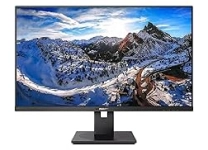
Televisions are central to home viewing, bringing films, live programming, sports, games, and streaming services to a shared screen. The category includes compact sets for bedrooms and kitchens, large-screen models for living rooms, and advanced displays designed for home theaters or gaming setups. When comparing options, consider how you watch, how many people typically view together, and the distance between the seating area and screen. A television that suits a bright, busy room may differ from one intended for evening film viewing. Screen size, picture processing, sound, smart features, and available connections all shape the everyday experience. Browse Ubuy to discover international television products and compare different formats and feature combinations. Understanding the key terms makes it easier to narrow choices and select a set that fits both your space and entertainment habits.
- Options for different rooms and viewing habits
- Picture, sound, and smart features vary by model
- Compare screen size with seating distance
Television Types and Screen Technologies
Most televisions use flat-panel displays, with LED and LCD models offering a broad range of sizes and features. QLED televisions use a quantum-dot layer to enhance color, while OLED displays use self-lit pixels that can produce deep blacks and precise contrast. Mini-LED backlighting is another technology found in some LCD sets, using smaller light sources for more controlled illumination. Product descriptions may also refer to 4K Ultra HD or 8K resolution, which indicates the number of pixels across the screen; the benefit depends on viewing distance and the content available. Curved screens are less common, while large-format displays suit spacious rooms. Think about brightness, contrast, viewing angles, and typical content rather than relying on a single specification. Comparing panel technology alongside resolution gives a more useful picture of how a television may perform in your home.
- LED, QLED, OLED, and Mini-LED display options
- 4K and 8K describe screen resolution
- Compare contrast, brightness, and viewing angles
Picture Quality, Refresh Rate, and HDR
Picture quality depends on more than resolution. High Dynamic Range, often listed as HDR, can show a wider range of brightness and color when both the television and video support a compatible format. Refresh rate, measured in hertz, describes how often the image updates; a higher native rate can be useful for fast-moving sports and compatible video games. Motion processing may also affect how smooth action appears, though preferences differ. Look for terms such as local dimming, color volume, upscaling, and low-latency gaming mode, and check whether advertised features apply to the model's native panel. For consoles, HDMI 2.1 connections and variable refresh rate support may be relevant, but compatibility depends on the television, console, and cable. Reading specifications as a set helps you assess practical performance instead of choosing by a headline number alone.
- HDR can expand supported brightness and color
- Refresh rate matters for motion and gaming
- Check HDMI features and model-specific support
Smart TV Platforms, Streaming, and Connectivity
A smart television connects to a home network to access streaming apps, software updates, and other connected services. Operating systems and app selection vary, so check that the services you use are supported and that the interface suits your preferences. Built-in Wi-Fi reduces cable clutter, while an Ethernet port can provide a wired network connection when available. HDMI ports connect game consoles, set-top boxes, and media players; USB ports may support compatible storage devices or accessories. Bluetooth can pair selected headphones, speakers, or controllers, and voice control may be integrated or require a separate device. Ubuy can help shoppers discover international television models with different smart platforms and connectivity combinations. Confirm the number and type of ports against your existing equipment, and remember that app access and features can depend on model, software, and service compatibility.
- Compare smart platforms and supported apps
- Check HDMI, USB, Wi-Fi, and Bluetooth connections
- Confirm compatibility with existing devices
Sound, Mounting, Accessories, and Care
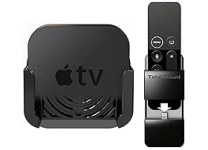
Built-in television speakers offer a simple setup, but a soundbar, home theater speaker system, or compatible wireless speakers may add fuller audio for films and music. Check connection options such as HDMI ARC or eARC, optical audio, and Bluetooth before choosing an audio accessory. For installation, televisions may use a table stand or a wall mount; confirm the mounting pattern, screen weight, wall structure, and available space before purchasing a bracket. Useful additions can include a surge-protected power strip, cable management, a streaming device, or a universal remote, provided each is compatible. Keep ventilation openings clear, follow the manufacturer's cleaning guidance, and use a soft, suitable cloth on the display rather than harsh cleaners. Thoughtful placement and routine care can help maintain a tidy, comfortable viewing setup while protecting the screen and connected equipment.
- Soundbars and speakers can complement built-in audio
- Verify mount pattern, weight, and installation needs
- Keep vents clear and clean the screen gently
Select the Right television
Start with the room: measure the available width, consider glare from windows and lamps, and estimate viewing distance before settling on screen size. Next, match display technology and picture features to your priorities, such as film contrast, daytime brightness, sports motion, or console gaming. Check that the resolution, refresh rate, HDR support, and HDMI connections meet the needs of your content sources. Review the smart platform, supported apps, network options, and compatibility with sound systems or other devices. Also account for stand dimensions, wall-mount requirements, cable access, and the space needed for ventilation. Compare model specifications carefully because similar product names can describe different configurations. Ubuy offers a place to discover international television products and compare options across this category. A clear shortlist based on room fit, use, and connectivity makes it easier to choose confidently without paying attention to features you are unlikely to use.
- Measure the room and plan the viewing distance
- Match features to films, sports, or gaming
- Check dimensions, ports, and device compatibility