- الصفحة الرئيسية /
- إلكترونيات /
- Television & Video /
- إكسسوارات التلفزيونات /
- TV Replacement Lamps /
- Vivitek QuickLaunch USB Installer لـ NovoConn...


منتج #:
78246647
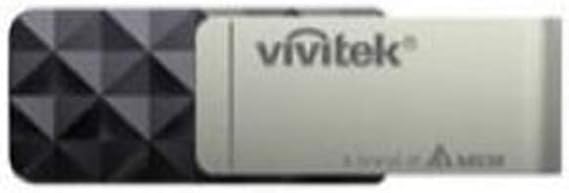
Vivitek QuickLaunch USB Installer لـ NovoConnect و NovoPro
منتج #:
78246647
USD 265
تفاصيل السعر
باستثناء رسوم الشحن والجمارك ( سيتم احتساب رسوم الشحن والجمارك عند إتمام الشراء )
*سيتم استيراد جميع العناصر من أمريكا
0 ratings
اكتب رأيك
متوفر فى المخزون
 مستورد من متجر USA
كمية:
اطلب الآن واحصل عليه حول السبت, أكتوبر 24
معاملة آمنة
تعمل يوباي جاهدة لحماية أمنك وخصوصيتك. يضمن نظام أمان الدفع المتقدم لدينا السرية من خلال تشفير معلوماتك أثناء النقل باستخدام بروتوكولات AES (معايير التشفير المتقدمة) وSSL (طبقة المنافذ الآمنة). تفاصيل الدفع الخاصة بك آمنة بنسبة %100 لأننا لا نشارك تفاصيل الدفع الخاصة بك مع بائعين تابعين لجهات خارجية
أفضل شركائنا اللوجستيين


يتيح لك QUICKLAUNCH تشغيل واجهة التوصيل البيني أو واجهة novopro على جهاز الكمبيوتر دون تثبيت أي برنامج.

شحن
سريع

استرجاع
مجاني*

تغليف آمن

منتجات أصلية %100

الامتثال لمعيار PCI DSS

حاصل على شهادة ISO 27001



Note: Step Down Voltage Transformer required for using electronics products of أمريكا store (110-120). Recommended power converters اشتري الآن.


مايفيد
اتصال سلس
يمكنك الاتصال بسهولة بأنظمة NovoConnect وNovoPro، مما يضمن للمستخدمين تجربة إعداد خالٍ من المتاعب يعزز الإنتاجية في الاجتماعات والعروض التقديمية.
واجهة سهلة الاستخدام
تم تصميم QuickLaunch USB Installer مع وضع البساطة في الاعتبار، حيث يسمح للمستخدمين ذوي المهارات التقنية المختلفة بالتنقل والاتصال دون عناء، مما يقلل من وقت التوقف عن العمل ويزيد من الكفاءة.
حل محمول
يجعل التصميم المدمج من QuickLaunch USB Installer رفيق سفر مثاليًا، مما يمنح المستخدمين المرونة لتقديم العروض أو التعاون بشكل فعال في أي مكان دون الحاجة إلى إعداد مكثف.
تفاصيل المنتج
- USB installer for NovoConnect and NovoPro
- Includes 4 QUICKLAUNCH USB sticks
- Allows running interconnect or novopro interface without installing software
- Provides virtual controls without physical buttons
- Enables running on a PC using the USB installer
- From the brand Vivitek
| ميزات إضافية | مثبت USB |
| نوع وحدة التحكم | زر الضغط |
| تكنولوجيا الاتصال | USB |
| كمية العبوة | 1 |
| وزن العنصر | 16 أونصة (453.6 جرام) |
| اسم العلامة التجارية | Vivitek |
| عدد العناصر | 1 |
| رقم الموديل | سريع |
| رقم تعريف التجارة العالمية | 00813097021731 |
| الصانع | منتجات Tjernlund u2013 Audio |
| UPC | 813097021731 |
| المكونات المضمنة | مثبت USB |
| اسم نوع العنصر | Rear Projection TV Replacement Lamp |
| رقم جزء الشركة المصنعة | سريع |
| العلامة التجارية | Vivitek |
| ميزة خاصة | مثبت USB |
| كمية حزمة البند | 1 |
من يجب أن يشتري؟

-
مستخدمي الشركات
مثالي للمحترفين الذين يحتاجون إلى عروض تقديمية فعالة واتصال سلس في بيئات اجتماعات الشركات.
-
قطاع التعليم
مثالي للمعلمين الذين يحتاجون إلى أدوات سهلة الاستخدام للتدريس التفاعلي وتجارب الفصول الدراسية الجذابة.
-
المسافرين الدائمين
مناسب للمسافرين من رجال الأعمال الذين يحتاجون إلى حل محمول لإعداد الاجتماعات السريعة والعروض التقديمية عن بعد.

-
المستخدمين العاديين
ليس مثاليًا للمستخدمين العرضيين الذين قد لا يحتاجون إلى الوصول المتكرر إلى أدوات العرض أو الاتصال المتقدم.
وصف المنتج
Vivitek QuickLaunch USB Installer لـ NovoConnect و NovoPro
About This Item
Introducing the Vivitek QuickLaunch USB Installer for NovoConnect and NovoPro - the ultimate solution for seamless collaboration and presentation needs. Whether you're hosting a conference, conducting a business meeting, or teaching a class, this USB installer is designed to enhance productivity and engagement. With the Vivitek QuickLaunch USB Installer, you can easily set up and install NovoConnect and NovoPro software on your compatible devices. This innovative software allows multiple users to connect and share content wirelessly, creating a dynamic and interactive environment. With a user-friendly interface and intuitive features, NovoConnect and NovoPro enable you to effortlessly share presentations, documents, videos, and other multimedia content.
You can connect multiple devices simultaneously, making it easy to collaborate with colleagues or engage with your audience. The QuickLaunch USB Installer ensures a hassle-free setup process. Simply plug in the USB device and follow the onscreen instructions to install the software. Now, you can start experiencing the benefits of wireless collaboration without any technical difficulties or delays. With its compatibility with NovoConnect and NovoPro e-commerce software, the Vivitek QuickLaunch USB Installer offers a seamless and efficient solution for your collaboration needs.
Say goodbye to tangled cables and complicated setups and say hello to a more streamlined and engaging presentation experience. So why wait? Upgrade your collaboration and presentation capabilities with the Vivitek QuickLaunch USB Installer for NovoConnect and NovoPro. Get started today and take your productivity to new heights.
هل لديك أي استفسار؟ تحدث معنا
أسئلة العملاء & الإجابات
-
سؤال:
What is the Vivitek QuickLaunch USB Installer used for?
إجابه: The Vivitek QuickLaunch USB Installer is a tool designed to enhance the functionality of NovoConnect and NovoPro devices. It allows users to quickly establish a connection and access various features such as screen mirroring, content sharing, and collaborative work. By simplifying the installation process, this USB installer helps in maximizing productivity during meetings and presentations. Ideal for educators and business professionals, it enables seamless wireless presentations and enhances teamwork through effective collaboration tools. -
سؤال:
Is the Vivitek QuickLaunch USB Installer compatible with all devices?
إجابه: The Vivitek QuickLaunch USB Installer is specifically designed to work with Vivitek's NovoConnect and NovoPro series devices. Compatibility includes various operating systems such as Windows and macOS for optimal performance. However, it's essential to verify the specific version of your operating system and the Novo device model to ensure smooth integration. This compatibility makes it a versatile solution for both educational and professional environments where diverse technology setups might be used. -
سؤال:
How do I install the Vivitek QuickLaunch USB Installer?
إجابه: To install the Vivitek QuickLaunch USB Installer, simply plug the USB drive into your computer, then follow the on-screen instructions that appear. The installer will guide you through setting up the connection to the NovoConnect or NovoPro device. This straightforward installation process ensures that users can get started quickly, making it particularly beneficial in dynamic environments like classrooms or conference rooms where time is critical for effective collaboration and presentations. -
سؤال:
Can I use the Vivitek QuickLaunch USB Installer for multiple devices?
إجابه: Yes, the Vivitek QuickLaunch USB Installer can be used with multiple NovoConnect or NovoPro devices, provided that the USB installer is compatible with each model. Users can set up the installer on various computers and connect to different devices as needed. This functionality is particularly useful for organizations or educational institutions that utilize several display screens or projectors across different rooms, allowing for flexible presentation setups in various scenarios. -
سؤال:
Does the Vivitek QuickLaunch USB Installer support wireless connections?
إجابه: Absolutely! The Vivitek QuickLaunch USB Installer enables users to establish wireless connections with NovoConnect and NovoPro devices. This functionality allows for a clutter-free setup, eliminating the need for cables. Users can directly project their screens from laptops or mobile devices, fostering an engaging and interactive experience during presentations or meetings. It's especially beneficial in collaborative settings where multiple participants need to share content without being tethered to a specific location. -
سؤال:
What types of content can I share using the Vivitek QuickLaunch USB Installer?
إجابه: With the Vivitek QuickLaunch USB Installer, users can share a wide range of content such as presentations, documents, videos, and images. The installer supports various file formats, enabling professionals and educators to display rich multimedia content effectively. Whether you are highlighting a project in a business meeting or sharing educational resources in a classroom, this capability enhances the overall presentation experience, making information sharing more dynamic and impactful. -
سؤال:
Is technical support available for the Vivitek QuickLaunch USB Installer?
إجابه: Yes, users can access technical support for the Vivitek QuickLaunch USB Installer through Vivitek's customer service. They provide resources, troubleshooting guides, and assistance for installation issues. Understanding the potential challenges when implementing new technology, Vivitek prioritizes user experience, giving you peace of mind as you integrate this tool into your presentations and collaborations. -
سؤال:
What are the main features of the Vivitek QuickLaunch USB Installer?
إجابه: The Vivitek QuickLaunch USB Installer offers several key features including seamless wireless connectivity, multi-device compatibility, and user-friendly installation. Its primary advantage lies in its ability to facilitate intuitive screen sharing and collaborative work environments. By leveraging these capabilities, users can engage audiences more effectively during presentations. Featuring robust performance, it's suited for both educational and corporate settings, enhancing collaboration among team members. -
سؤال:
Can I use the Vivitek QuickLaunch USB Installer with a touchscreen display?
إجابه: Yes, the Vivitek QuickLaunch USB Installer works effectively with touchscreen displays that support NovoConnect and NovoPro devices. This compatibility allows for interactive presentations where users can directly engage with the content displayed on the screen. It significantly enhances the user experience, especially in educational and training environments, making lectures or workshops more interactive and visually engaging. -
سؤال:
Where can I buy the Vivitek QuickLaunch USB Installer for NovoConnect and NovoPro?
إجابه: You can purchase the Vivitek QuickLaunch USB Installer for NovoConnect and NovoPro from Ubuy in Lebanon. Ubuy offers a user-friendly platform for finding this product, ensuring you receive all the necessary details for a successful purchase.
Vivitek TV Replacement Lamps Editorial Review
لم يتم العثور على مراجعات تحريرية
مراجعات العملاء وتقييماتهم
1 تقييمات العملاء
-
5 نجمة
0%
-
4 نجمة
100%
-
3 نجمة
0%
-
2 نجمة
0%
-
1 نجمة
0%
أضف تقييم لهذا المنتج
شارك أفكارك مع عملاء آخرين
منصة موثوقة وثقة كاملة للمشتري

MA
Mohammad
مشتري موثّق
“Excellent quality and original too,when ubuy send original things I will appreciate that ,I very satisfied thank you”
23 July 2026 · عبر Trustpilot
CK
Chitra
مشتري موثّق
“The order and delivery progress was communicated very well. Package arrived within the estimated time. Products arrived as expected in good condition.”
22-Jul-26 · عبر Trustpilot
K
kund
مشتري موثّق
“Good supply of products. Safe payment methods, and shipment worldwide! Genuine products.”
23-Jul-26 · عبر Trustpilot
OO
Onesi
مشتري موثّق
“Was my first time buying a product from Ubuy, but I found it so helpful. This is reliable. Gonna place a new order!”
22 July 2026 · عبر Trustpilot
SJ
SAO JOHN
مشتري موثّق
“Ubuy is a great online platform to buy stuff. Reliable, fast delivery time and great value for money. I've been using Ubuy online shopping platform for three years now and will continue to do so.”
23 July 2026 · عبر Trustpilot
الخروج الآمن
شحن عالمي
إسترجاع سهل
منتجات أصلية
تاريخ سعر المنتج
معلومات مهمة
- القيود: بالنسبة للمنتجات التي يتم شحنها دولياً، يُرجى ملاحظة أن أي ضمان من الشركة المصنعة قد لا يكون صالحاً؛ قد لا تتوفر خيارات خدمة الشركة المصنعة؛ قد لا تكون أدلة المنتج والتعليمات وتحذيرات السلامة مكتوبة بلغة بلد المقصد؛ قد لا يتم تصميم المنتجات (والمواد المصاحبة لها) وفقاً لمعايير بلد الوجهة والمواصفات ومتطلبات الملصقات؛ وقد لا تتوافق المنتجات مع الجهد الكهربي المستخدم في بلد الوجهة والمعايير الكهربائية الأخرى (تتطلب استخدام محوّل كهربي أو جهاز تحويل إذا كان ذلك مناسباً). المستلم مسؤول عن ضمان إمكانية استيراد المنتج بشكل قانوني إلى بلد الوجهة. عند الطلب من يوباي أو الشركات التابعة لها، يكون المستلم هو المستورد المسجل ويجب أن يلتزم بجميع القوانين واللوائح الخاصة ببلد الوجهة.
- ليست كل المنتجات المدرجة على يوباي معروضة للبيع، لأن يوباي هو محرك بحث عالمي. المنتجات تخضع للوائح التصدير / التجارة.
USD 265
اطلب الآن واحصل عليه حول السبت, أكتوبر 24
هذا المنتج غير ممنوع في بلدي. (الرجاء الضغط على الرابط أعلاه إذا لم يكن هذا المنتج ممنوعاً في بلدك ، لذلك سيقوم فريقنا بمراجعته والسماح به.)
كمية:
معاملة آمنة
نوفر لك مدفوعات مشفّرة، وحماية متكاملة للمشتري، مع الالتزام بمعايير PCI DSS وشهادة ISO 27001:2022 لضمان أعلى مستويات الأمان في كل عملية شراء.
أفضل شركائنا اللوجستيين
أسرع توصيل عبر الحدود
المميزات والفوائد
- قم بتشغيل واجهة interconnect أو novopro على جهاز كمبيوتر بدون تثبيت برنامج.
- عناصر تحكم افتراضية بدون أزرار فعلية.
- يتضمن 4 عصي USB سريعة الإطلاق.
ضمان Ubuy
تسوّق بثقة مع منتجات أصلية %100، ومدفوعات آمنة متوافقة مع معيار PCI DSS، وحماية بيانات معتمدة وفق ISO 27001، وشحن دولي سريع، وإرجاع مجاني*، وتغليف آمن لكل طلب.